 FSI Doc Manager
Need to send one file instead of three? Only page 2 of a long PDF? Or keep a document private? FSI Doc Manager does all three on your Android phone, for free.
Merge PDFs into one
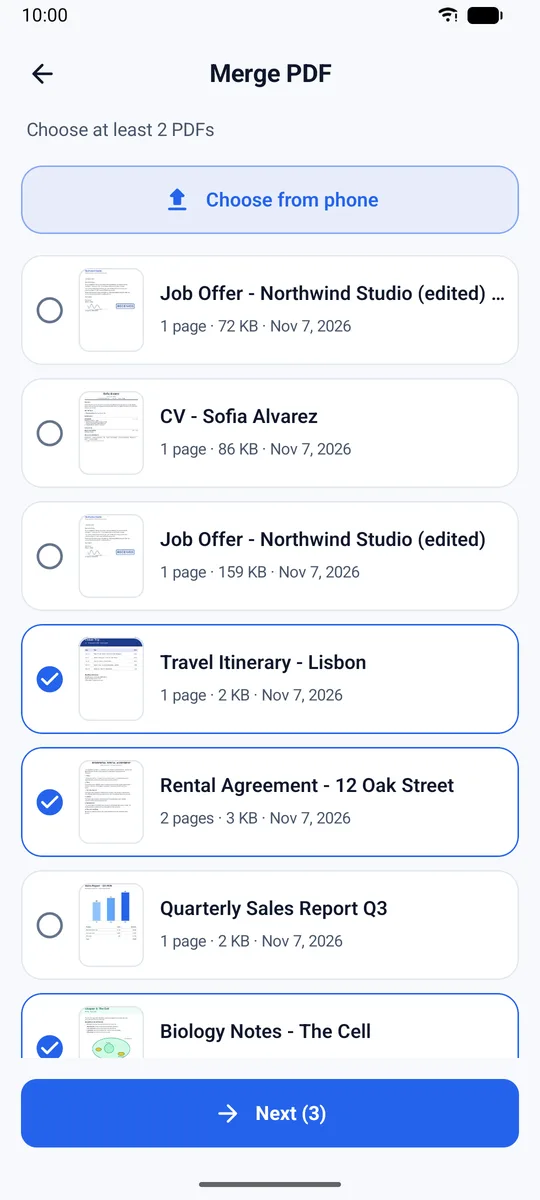
- Go to Tools → PDF tools → Merge PDF.
- Tick the PDFs you want to join (at least 2). Use Choose from phone for PDFs from other apps.
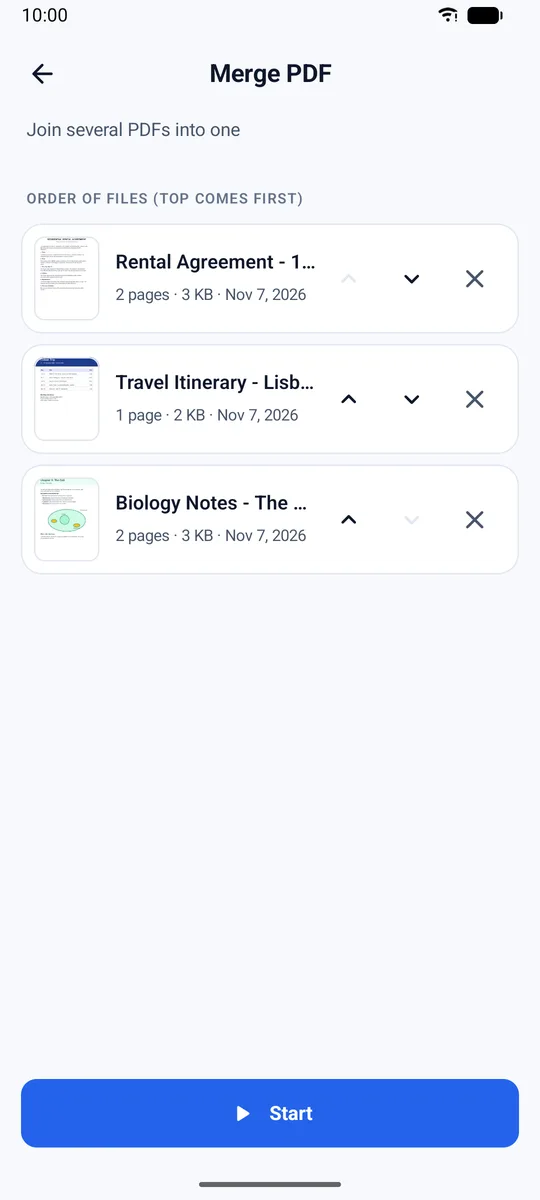
- Tap Next. Put the files in order: the top file comes first. Use Move up and Move down.
- Tap Start. The merged PDF is saved in My Files – tap Open or Share.
Take pages out of a PDF (split)
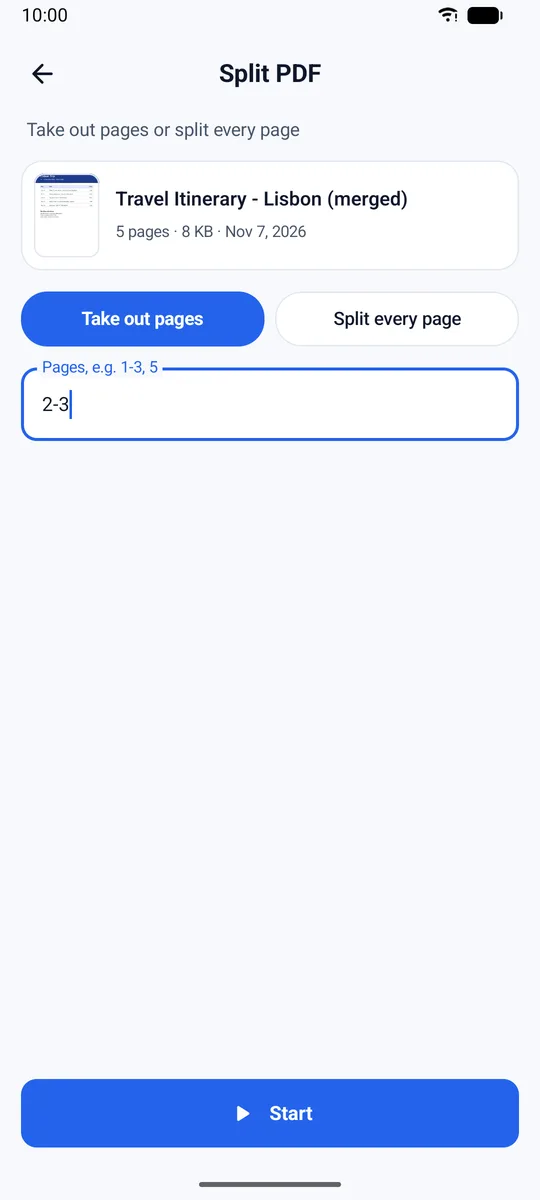
- Go to Tools → PDF tools → Split PDF and pick the PDF.
- Choose Take out pages and type the pages you want, for example 2-3 or 1-3, 5.
- Or choose Split every page to get each page as its own file.
- Tap Start. The new PDF is saved next to the original, which stays as it was.
Lock a PDF with a password
- Go to Tools → PDF tools → Lock PDF and pick the PDF.
- Type a password twice and tap Start.
- From now on, anyone who opens the PDF – in any PDF app – must type the password.
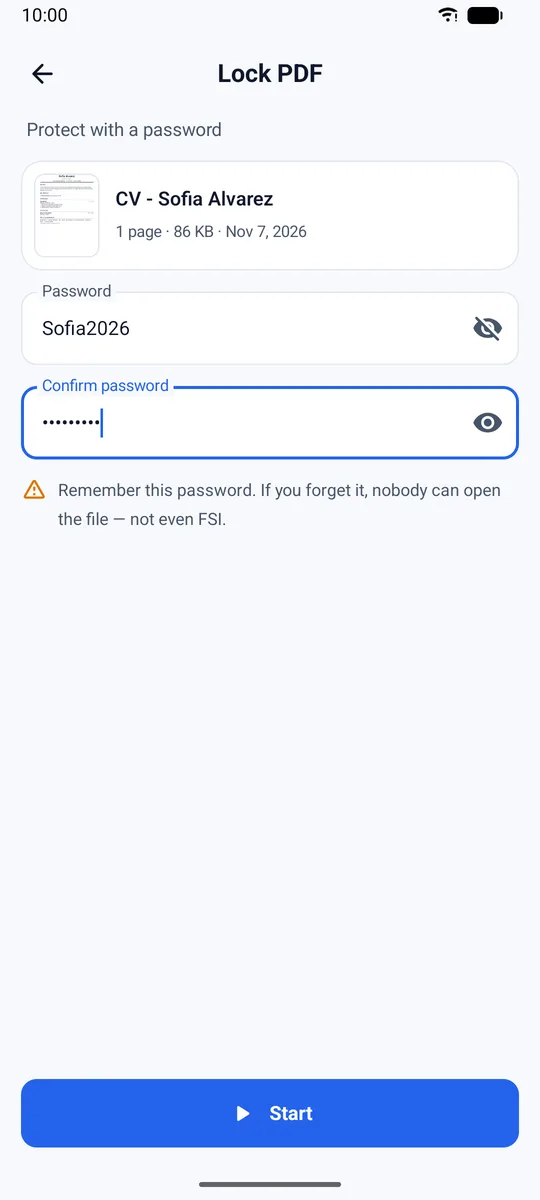
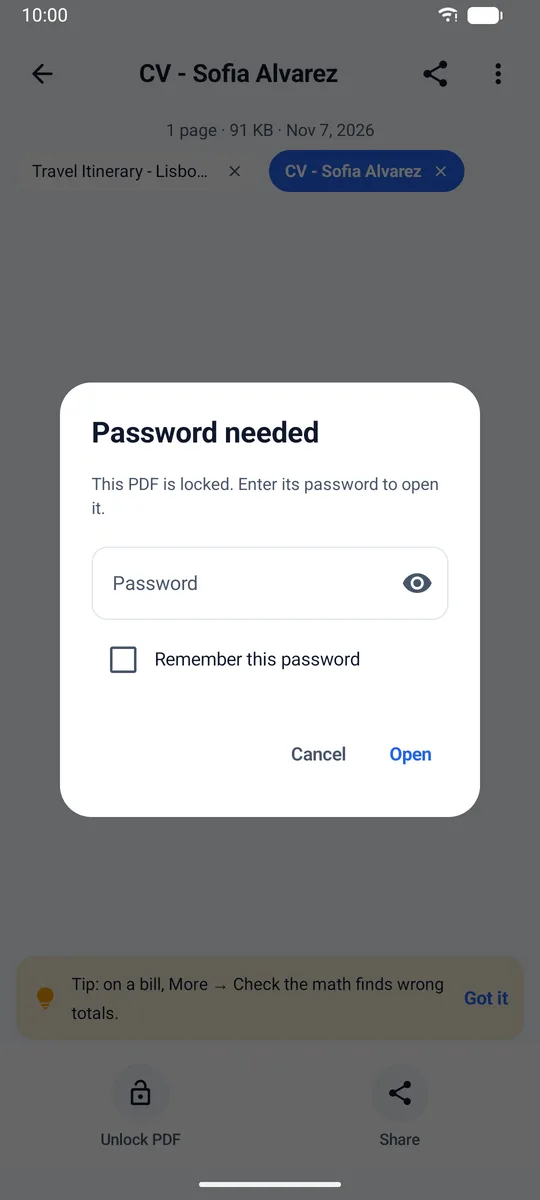
Important: remember the password. If you forget it, nobody can open the file – not even FSI. To remove a password later, use Unlock PDF (you need the password once).
More PDF tools
Compress to a set size, edit text and sign, organize pages, add page numbers or a watermark, and make a scanned PDF searchable.
Try it yourself
FSI Doc Manager is free on Google Play.