 FSI Doc Manager
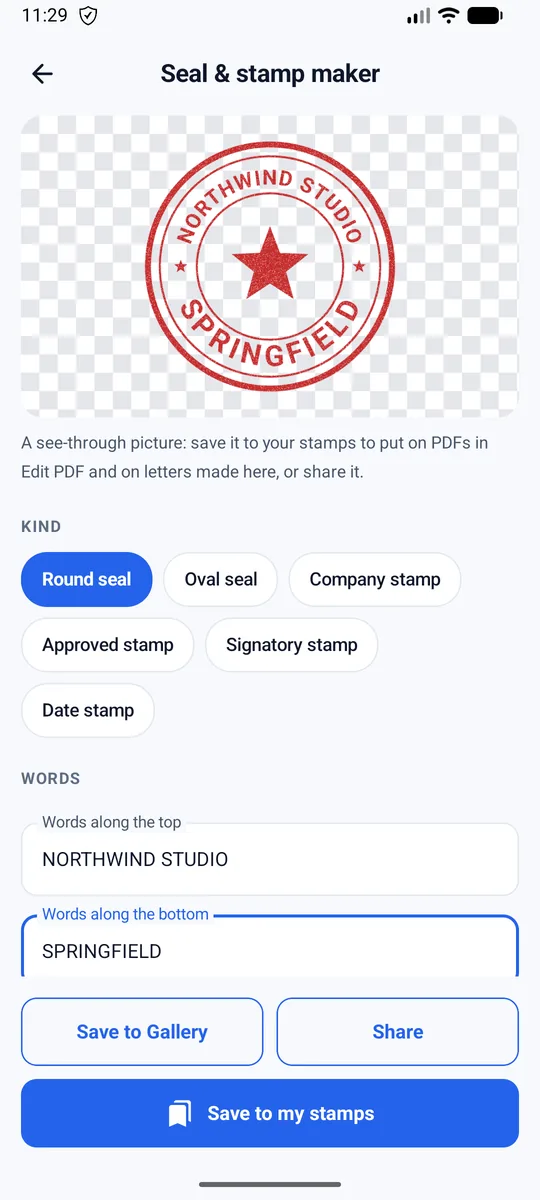
Need a company seal on a letter, invoice or certificate, but don't have the rubber stamp with you? With FSI Doc Manager you can make your own seal on your Android phone in about a minute, with a see-through background, and put it on any PDF. It's free.
1. Open the seal maker
Open the app, go to Tools → For office work and tap Seal & stamp maker.
2. Pick the kind of seal
Choose a Round seal, an Oval seal, or a Company, Approved, Signatory or Date stamp.
3. Type your words
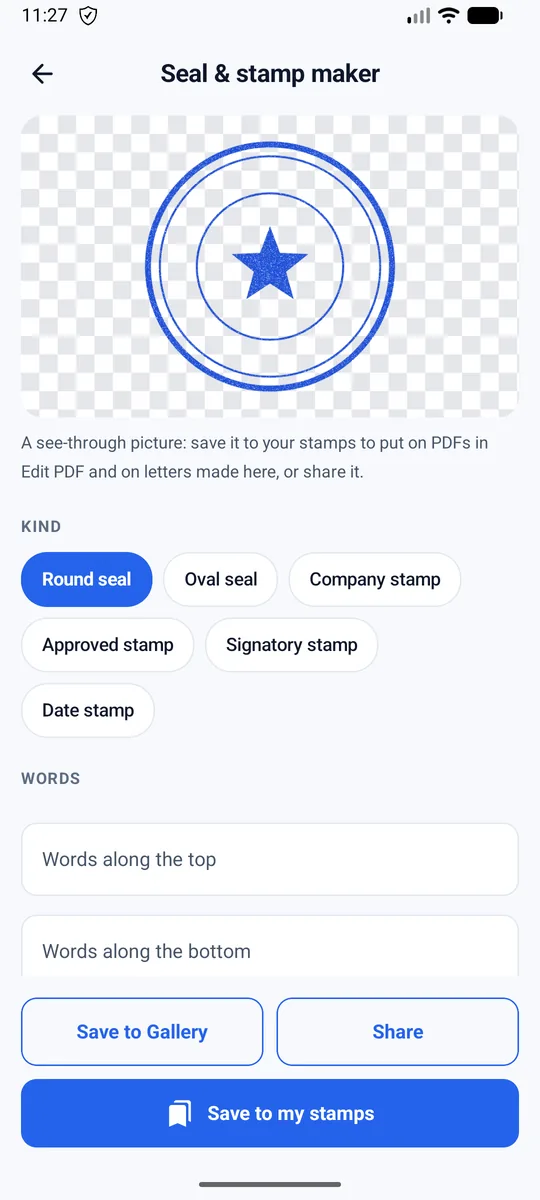
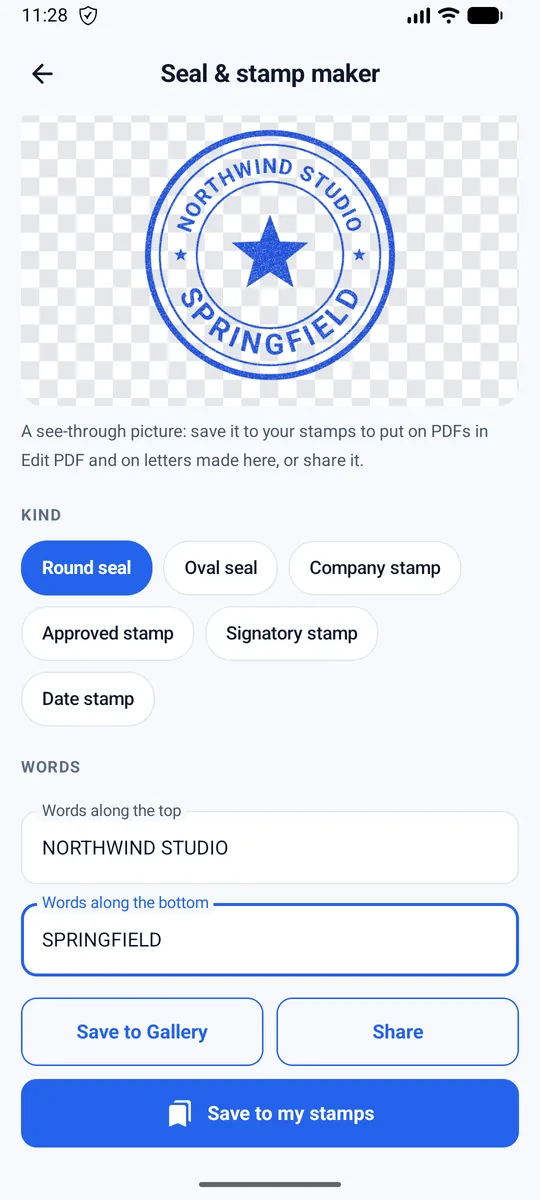
For a round seal, type your company name in Words along the top and your city in Words along the bottom. Leave the middle empty and you get a star there.
4. Pick a colour and the real stamp look
Choose blue, red, violet, green or black. Keep Real stamp look on for slightly uneven ink, like a real rubber stamp.
5. Save it and put it on a PDF
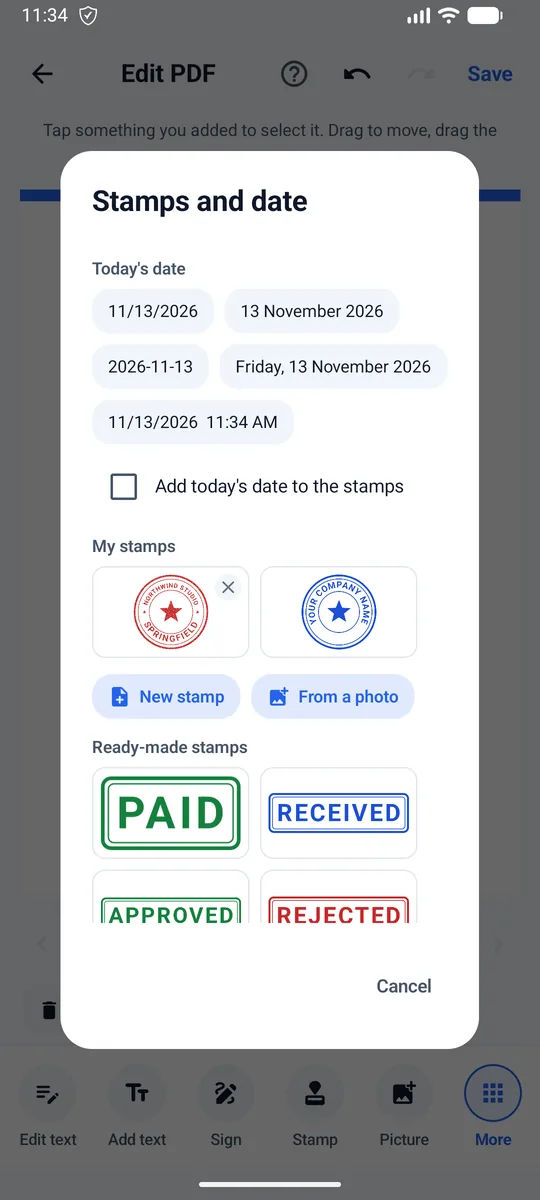
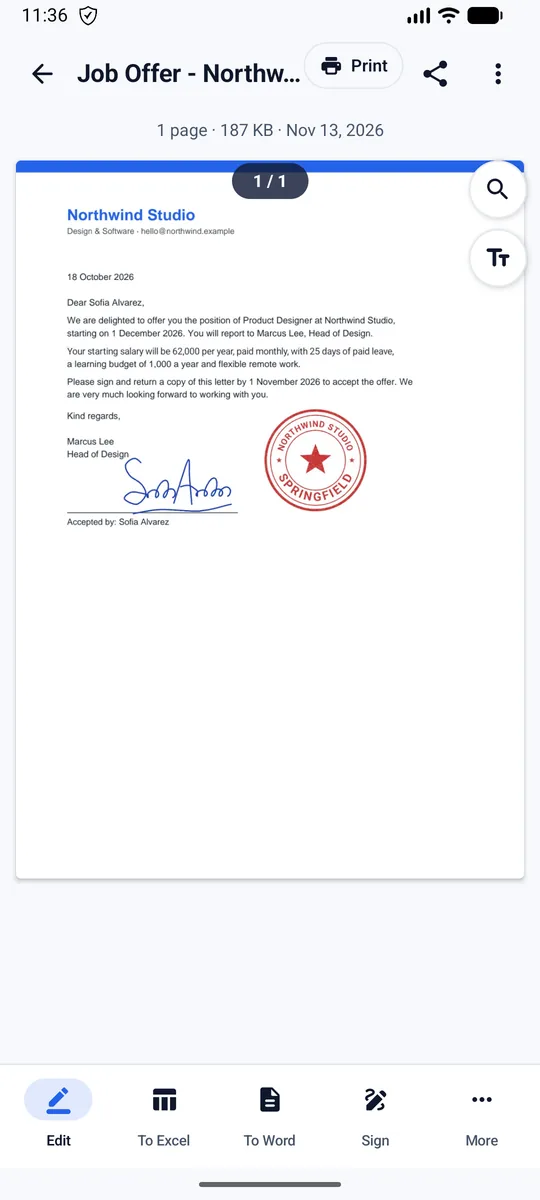
Tap Save to my stamps. You can also Share it or Save to Gallery as a picture. Then open any PDF in Edit PDF, tap Stamp, and you'll find your seal under My stamps. Tap it and drag it onto the page, for example next to your signature.
Good to know
- A digital seal is a picture. It helps your papers look official, but it doesn't replace a legal or government stamp where your country asks for one.
- Only make seals for your own company or organisation.
- Need to sign too? See how to edit and sign a PDF.
FSI Doc Manager is free on Google Play.