 FSI Doc Manager
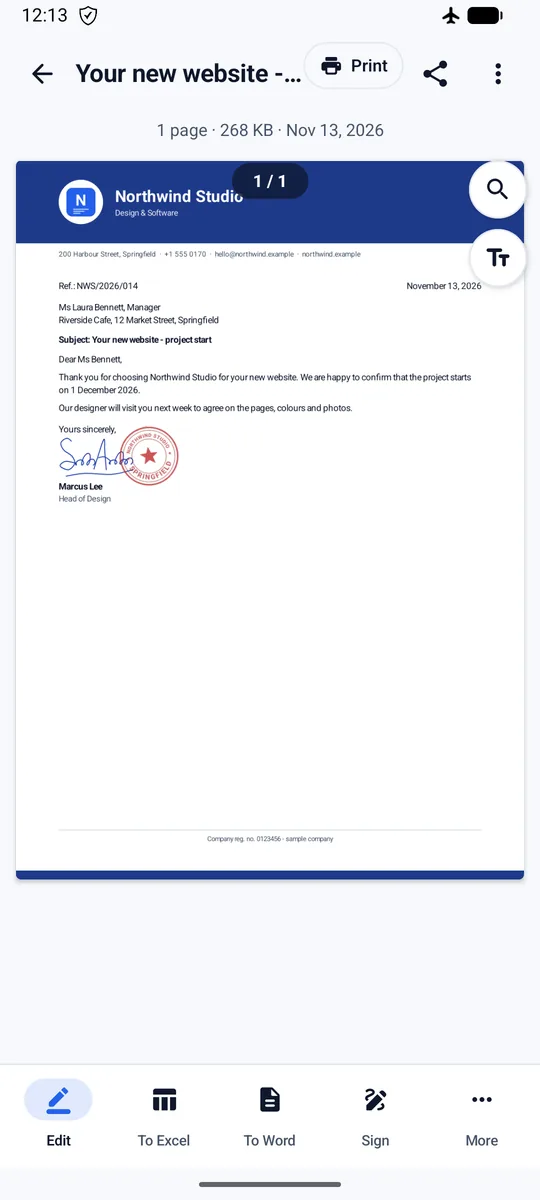
A letter on your own letterhead looks professional, whether it's an offer letter, a quotation cover letter or a notice. With FSI Doc Manager you can make a company letterhead on your Android phone, write the letter on it and send it as a PDF, without a computer. It's free.
1. Open Company letterhead
Go to Tools → For office work and tap Company letterhead.
2. Type your company details once
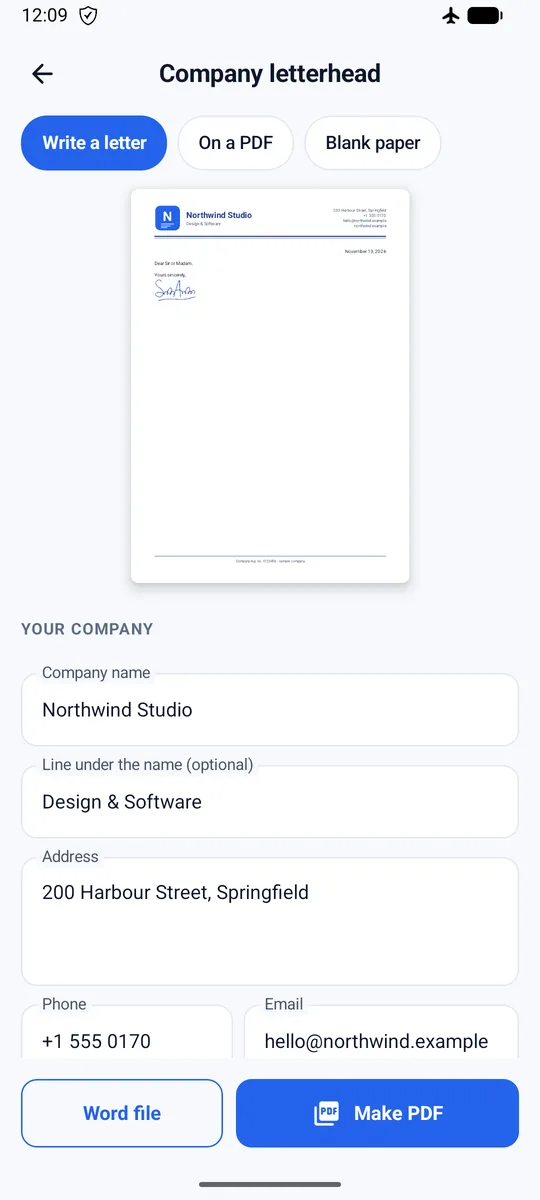
Add your company name, a line under the name (for example "Design & Software"), address, phone, e-mail and your logo. You type them only once. The same details and logo are used on your letterhead, certificates, ID cards and business card.
3. Pick a design and a colour
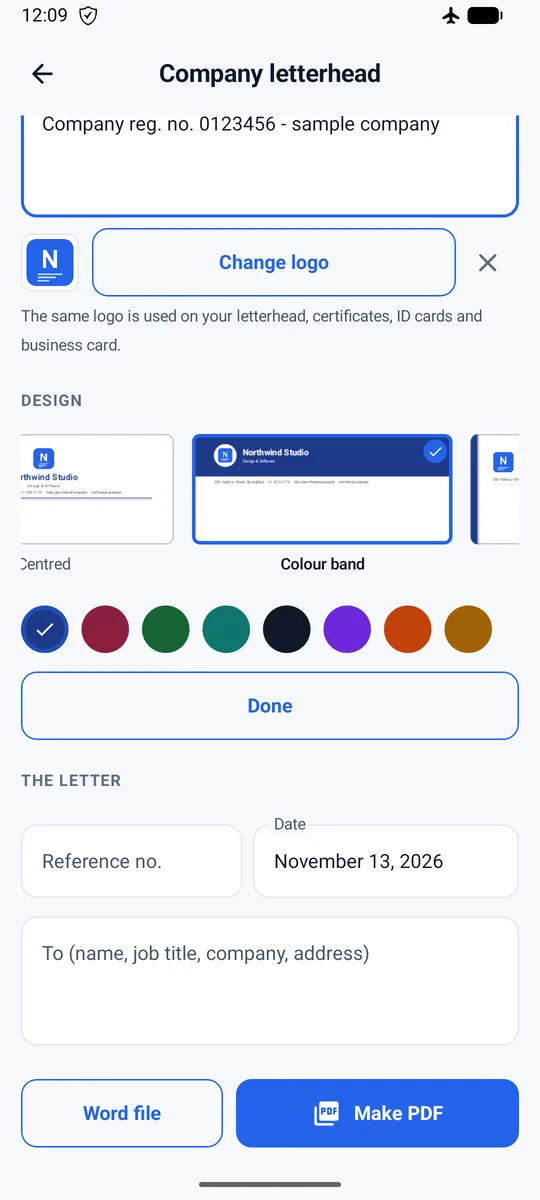
There are eight designs, such as Classic, Centred, Colour band and Side bar, and you can pick the colour.
4. Write your letter
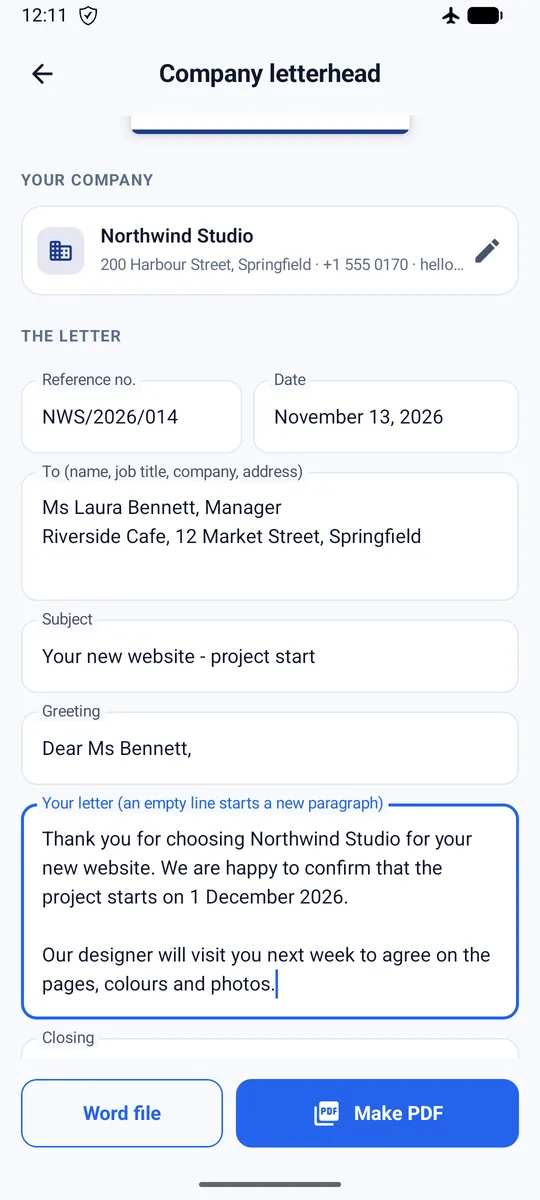
Fill in the reference number, date, who it's to, the subject, the greeting and your text. Add who signs it, and turn on your signature and company seal if you like.
5. Make the PDF
Tap Make PDF (or Word file if you want to keep editing it on a computer). The letter is saved in My Files, ready to share on WhatsApp or e-mail, or to print.
Three ways to use your letterhead
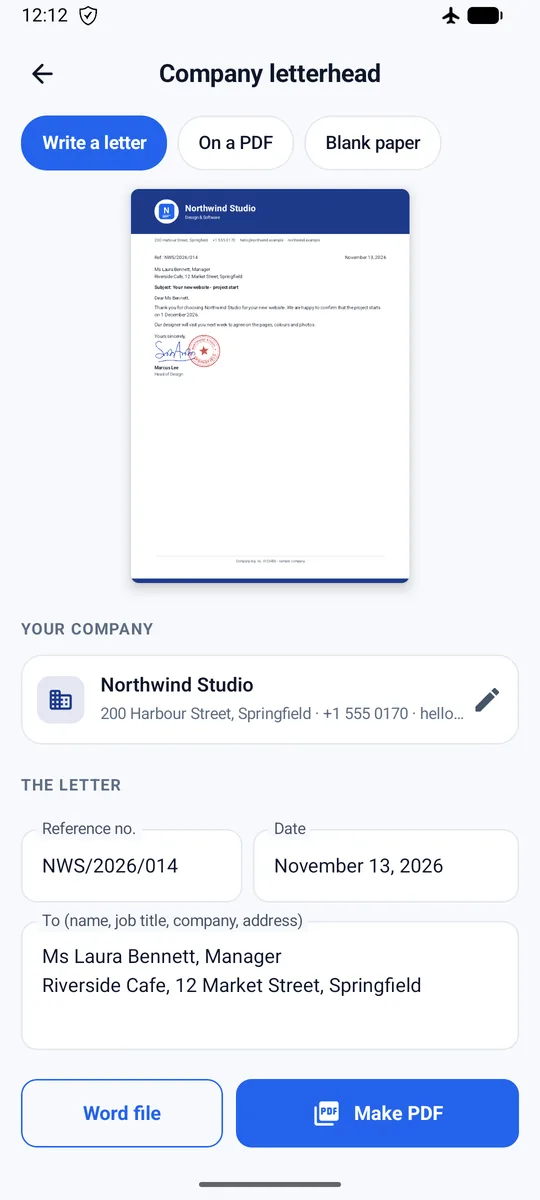
At the top of the screen you can choose:
- Write a letter: type the letter in the app, as above.
- On a PDF: put your letterhead on a PDF you already have.
- Blank paper: make empty letterhead pages to print and write on by hand.
FSI Doc Manager is free on Google Play.