 FSI Doc Manager
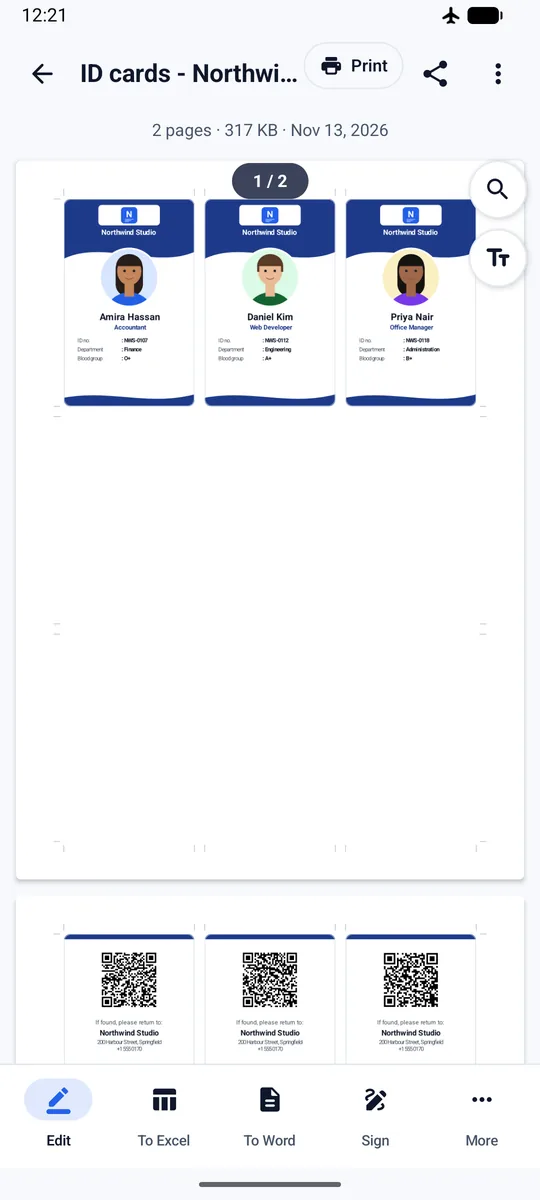
Making ID cards for a whole office, school or club usually means a computer and design software. With FSI Doc Manager you can make staff or student ID cards with photos on your Android phone and print them all at once on A4 paper. It's free.
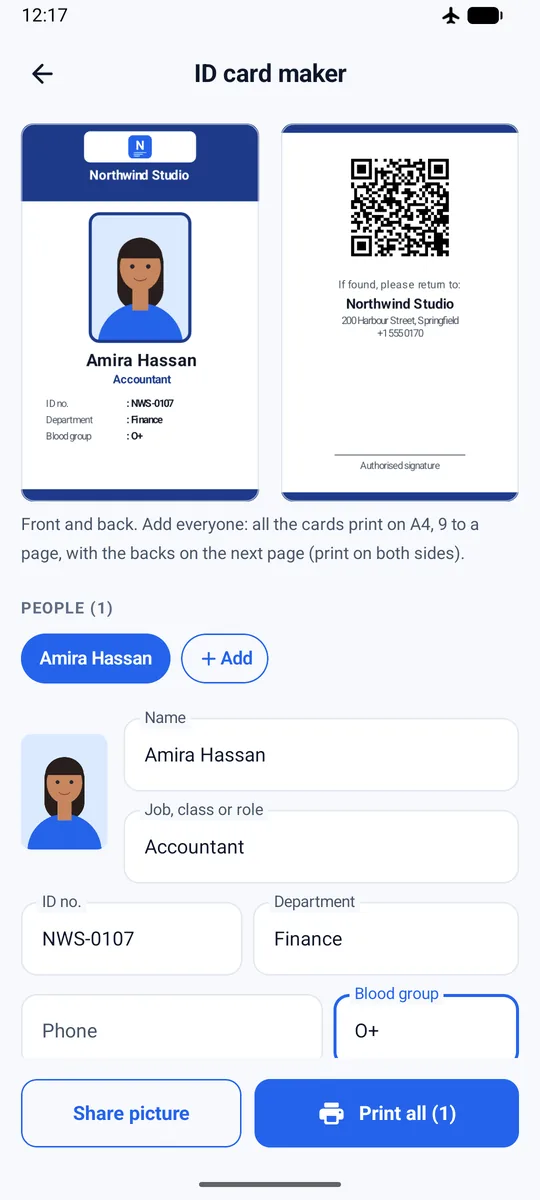
1. Open the ID card maker
Go to Tools → For office work and tap ID card maker.
2. Add a person
Add a photo, then the name, job or class, ID number, department and blood group. You can add a phone number too.
3. Add everyone
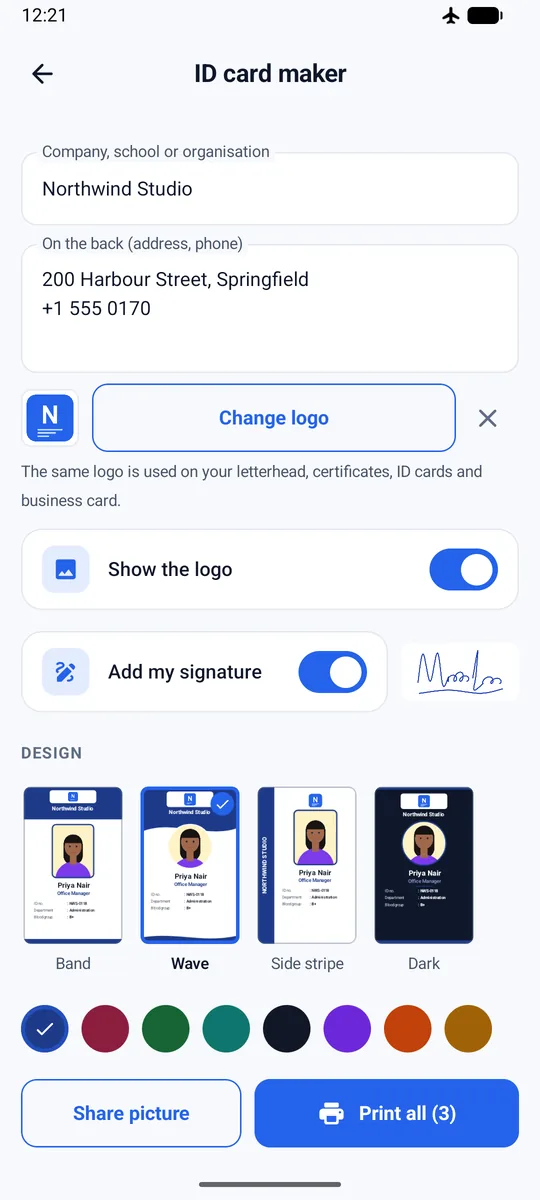
Tap + Add for the next person and fill in their details the same way. Your organisation's name, the back of the card and the signature are the same on every card, so you type them only once.
4. Pick a design
Choose one of four designs (Band, Wave, Side stripe or Dark) and one of eight colours. You can show your logo and add your signature.
5. Print them all
Tap Print all. The cards go on A4 paper, nine to a page, with the backs on the next page. Print on both sides and cut. You can also share a picture of one card.
Good to know
- Use real names and photos only with the person's permission, and keep the list safe.
- These are cards for your own office, school or club. They are not government ID.
- Need certificates for the same group? See how to make certificates for a whole class.
FSI Doc Manager is free on Google Play.