 FSI Doc Manager
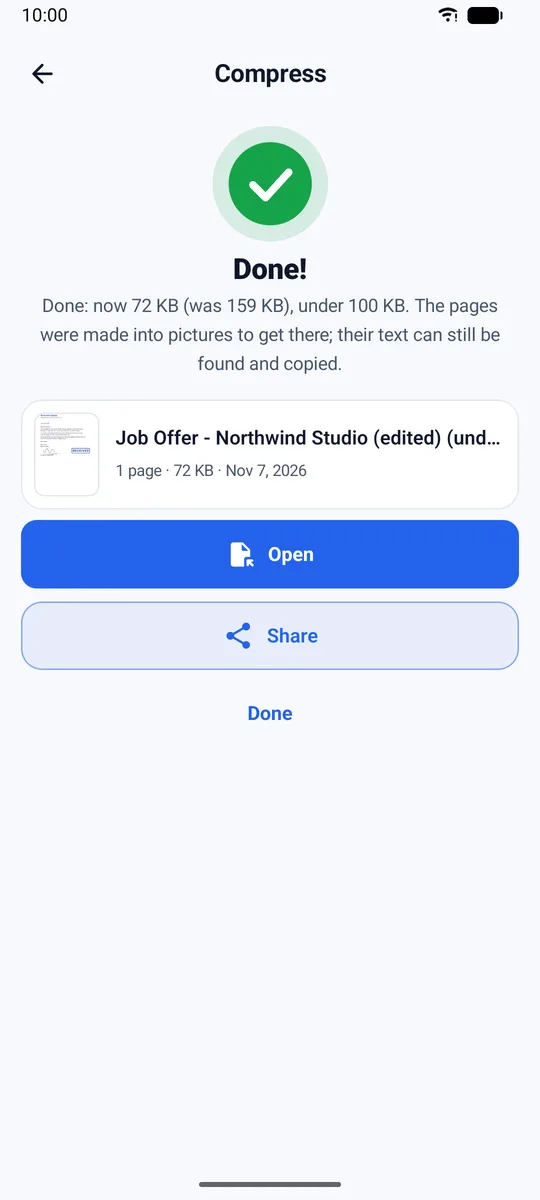
Job portals, university admissions and government websites often say “PDF, maximum 100 KB” or “under 200 KB”. A scanned or signed page from a phone is usually bigger. Here is how to make it fit with FSI Doc Manager on Android – free.
Compress a PDF to a size you choose
- Open the app and go to Tools → PDF tools → Compress.
- Pick your PDF from the list, or tap Choose from phone for a PDF from WhatsApp, Downloads or anywhere else.
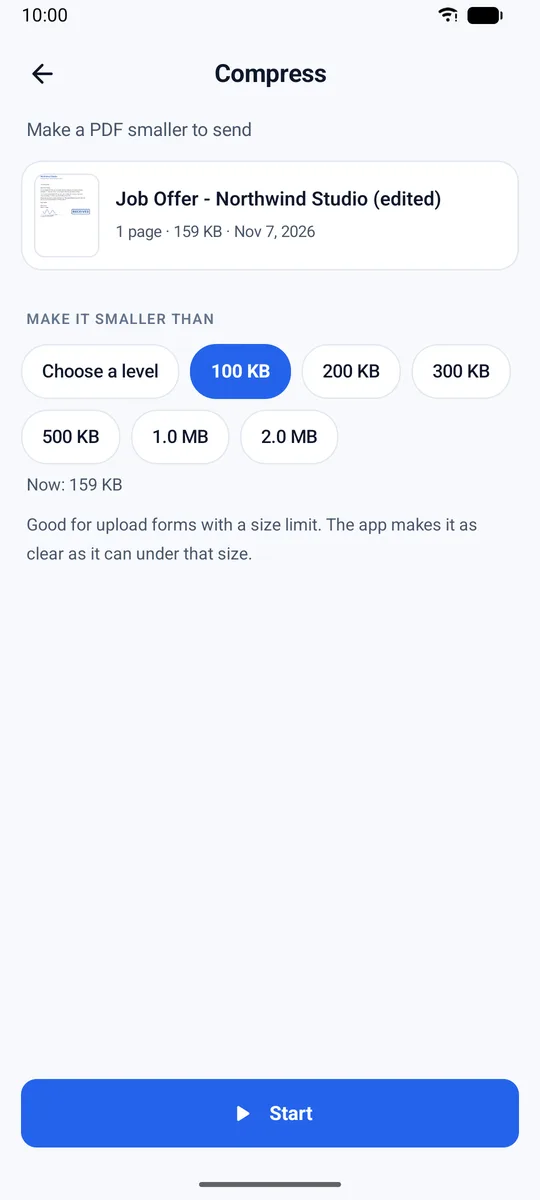
- Under Make it smaller than, choose the size you need: 100 KB, 200 KB, 300 KB, 500 KB, 1 MB or 2 MB. You also see how big the file is now.
- Tap Start. The app saves a new, smaller copy – your original stays untouched.
- Tap Share or Open, and upload the new file.
Why it works: the app first makes the pictures in the PDF smaller. If that is not enough, it saves each page as a lighter picture and keeps the text searchable underneath – the app tells you when it did that.
Don't need an exact size? Choose a level instead: Light (best quality), Recommended or Strong (smallest file).
Tips when a form needs a very small file
- Fewer pages, smaller file. If the form only needs page 1, use Split PDF first and upload just that page.
- Black & white scans are lighter. When you scan, choose the Black & white filter for text-only documents.
- Check it still reads well. Open the new PDF and zoom in. If it's too blurry, try the next size up.
- Photos, not a PDF? For a passport photo or signature with a size limit, use Photo & signature for forms in Tools – it makes a photo or signature the exact pixel size and file size a form asks for.
Other PDF tools in the same app
Merge several PDFs into one, take out pages, lock a PDF with a password (see merge, split and lock), reorder pages, add page numbers or a watermark, and convert PDF to Word, Excel or images – all on your phone.
Try it yourself
FSI Doc Manager is free on Google Play.