 FSI Doc Manager
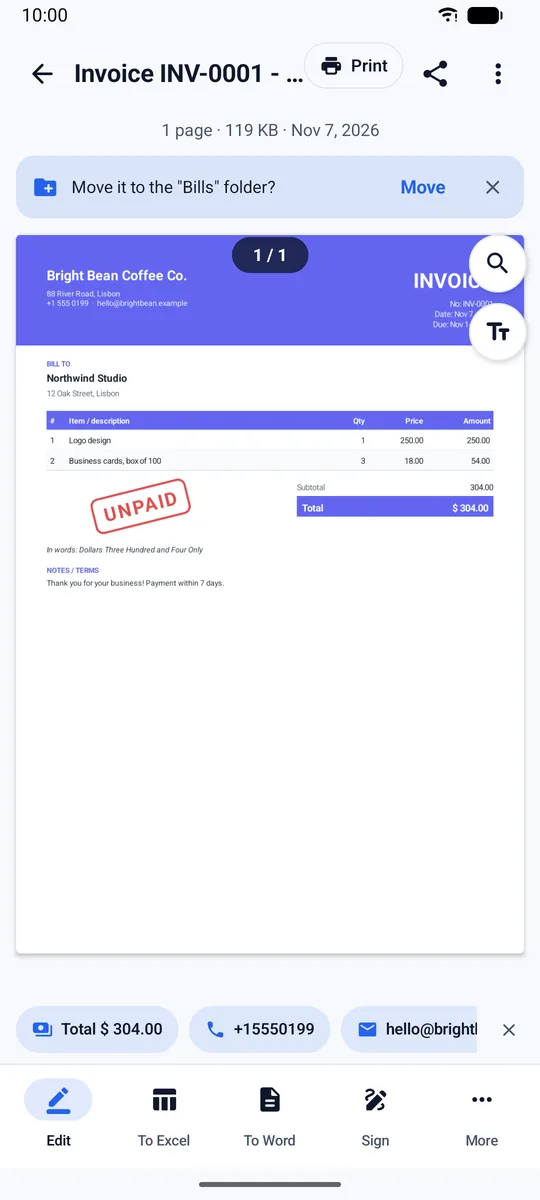
Running a small shop, freelancing or selling online? You can make a clean, professional invoice on your Android phone in about a minute with FSI Doc Manager – and send it straight on WhatsApp. Invoices are unlimited and free, and the app also makes quotations, receipts and cash memos.
1. Add your business once
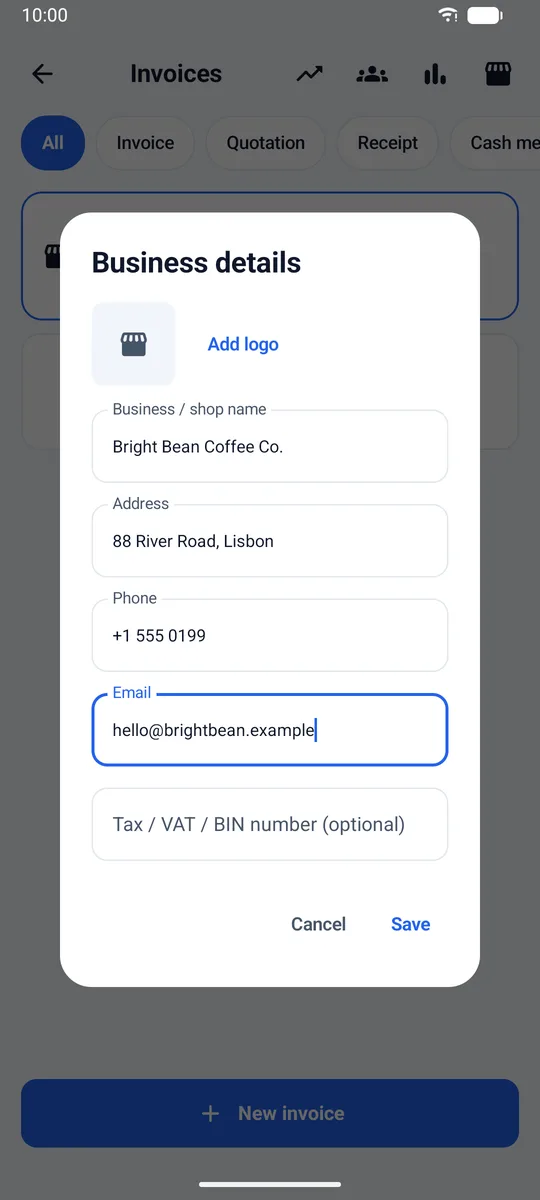
Go to Tools → Create invoice and tap Add business details. Type your business or shop name, address, phone and e-mail, and add your logo if you like. A tax / VAT number is optional. Every new invoice gets these details by itself.
2. Choose the type, design and language
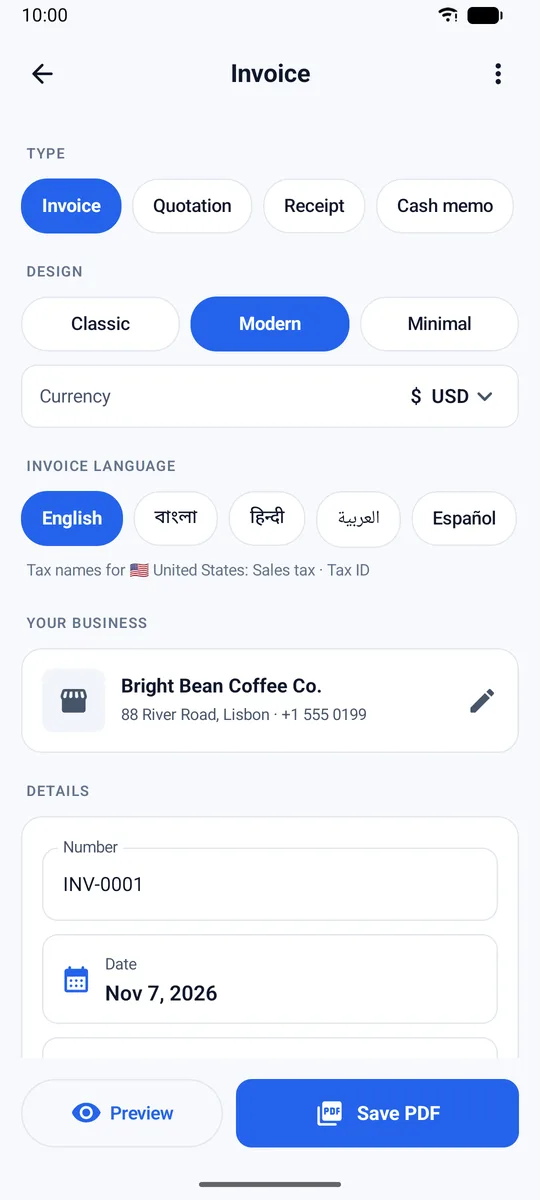
Tap New invoice. Pick the type – Invoice, Quotation, Receipt or Cash memo – and a design: Classic, Modern or Minimal. Choose the currency and the language of the invoice: English, Bangla, Hindi, Arabic or Spanish. The number and date are filled in for you.
3. Add the customer and the items
Add who the invoice is for, then each item: what, how many and the price. Tap Discount / tax on an item if you need it, and Add item for more. Things you sell often can be kept in Saved items.
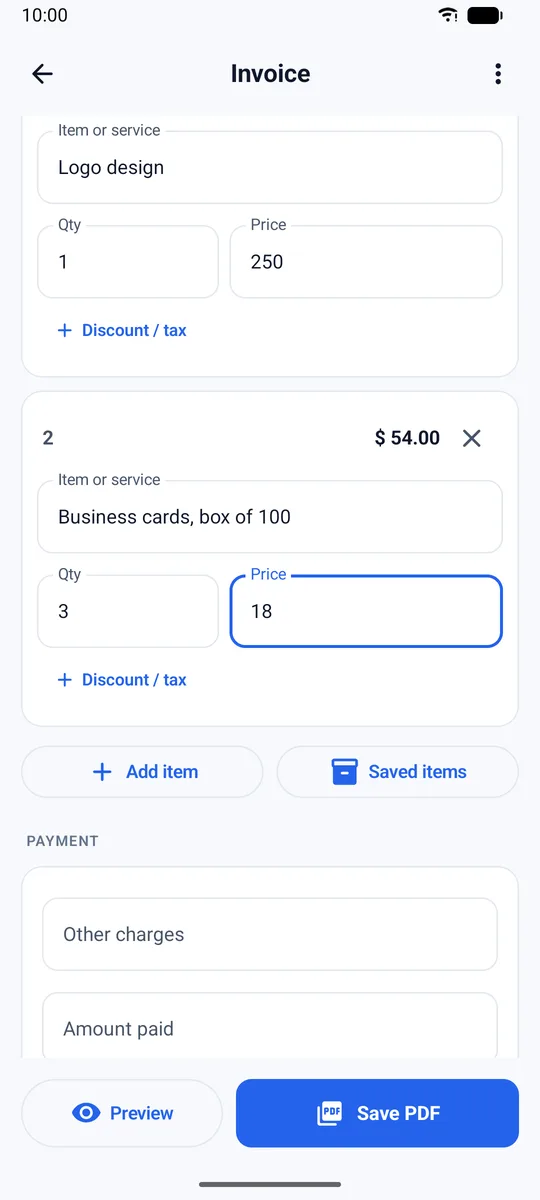
4. Check the total and save
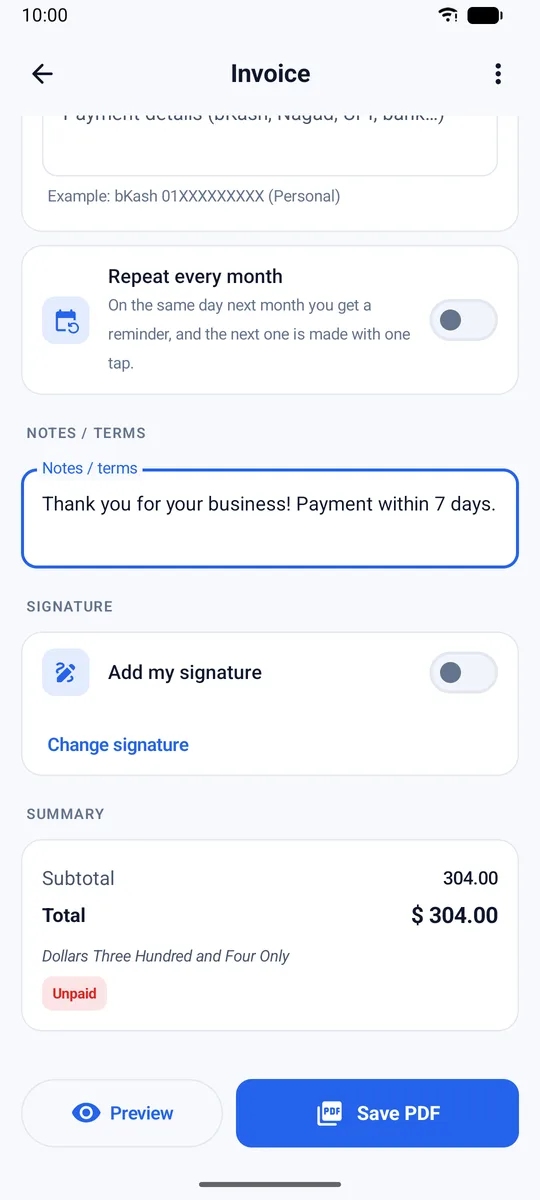
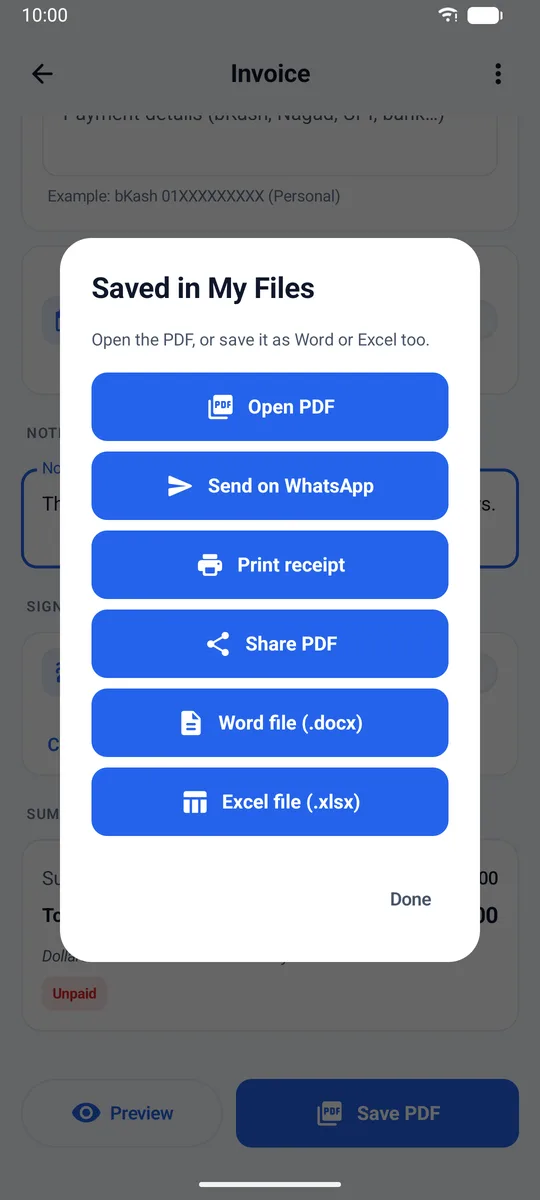
The subtotal, total and the amount in words are done for you. Add a note such as payment terms, your signature, or turn on Repeat every month for regular customers. Then tap Save PDF.
Tips for invoices that get paid faster
- Write clear payment details – bank account or mobile wallet number – in the payment field.
- Add a due date in the note, for example “Payment within 7 days”.
- Send a PDF: it looks the same on every phone and computer.
- Send a quotation first for big jobs. When the customer agrees, Duplicate it and change the type to Invoice.
More business tools
Need to sign a contract? See how to edit and sign a PDF. Got a supplier's price list on paper? Turn it into a sheet with photo to Excel.
FSI Doc Manager is free on Google Play.