 FSI Doc Manager
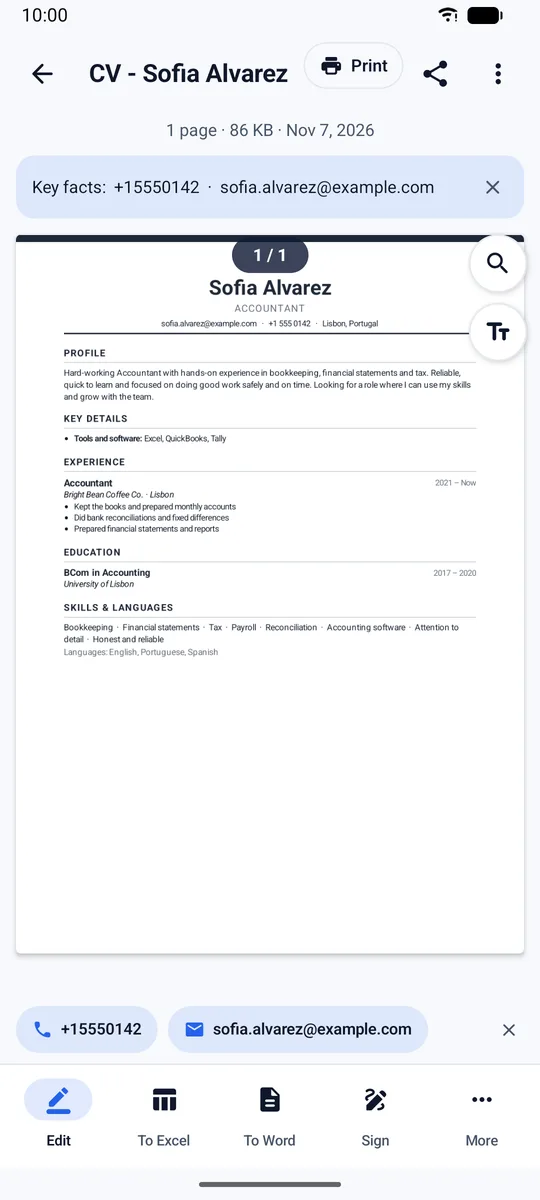
You don't need a computer to make a good CV. With the CV maker in FSI Doc Manager you can build one on your Android phone in a few minutes – with the right skills and example sentences for your job already suggested. Below is the full walk-through with screenshots and a video.
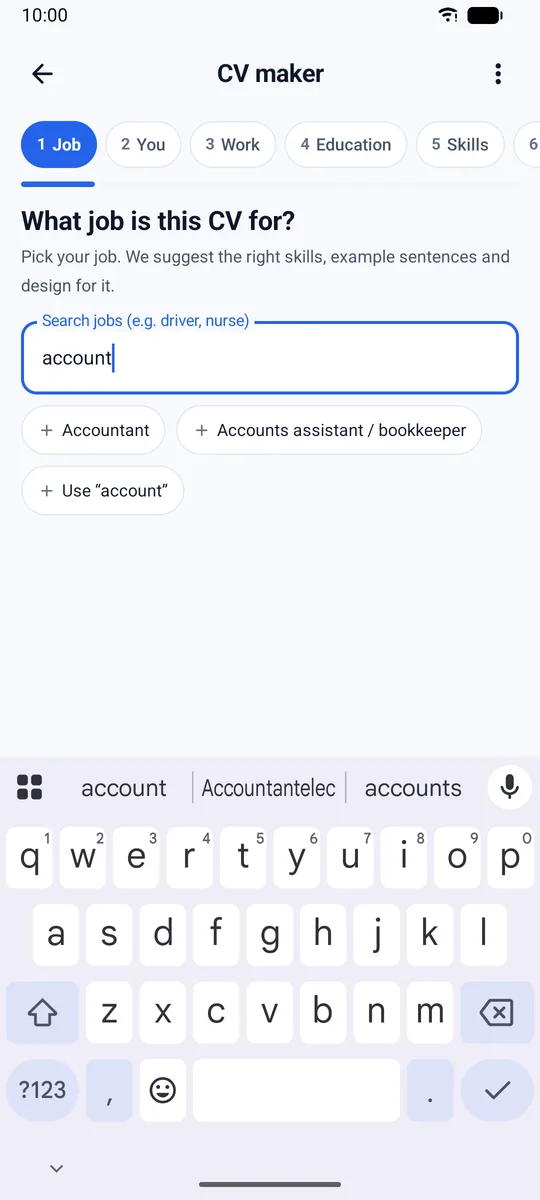
1. Pick your job
Open the app and go to Tools → CV maker. Search your job – there are 160+ jobs, from driver, nurse and electrician to accountant, teacher and software developer. The app uses it to suggest the right skills, sentences and design.
2. Add your details
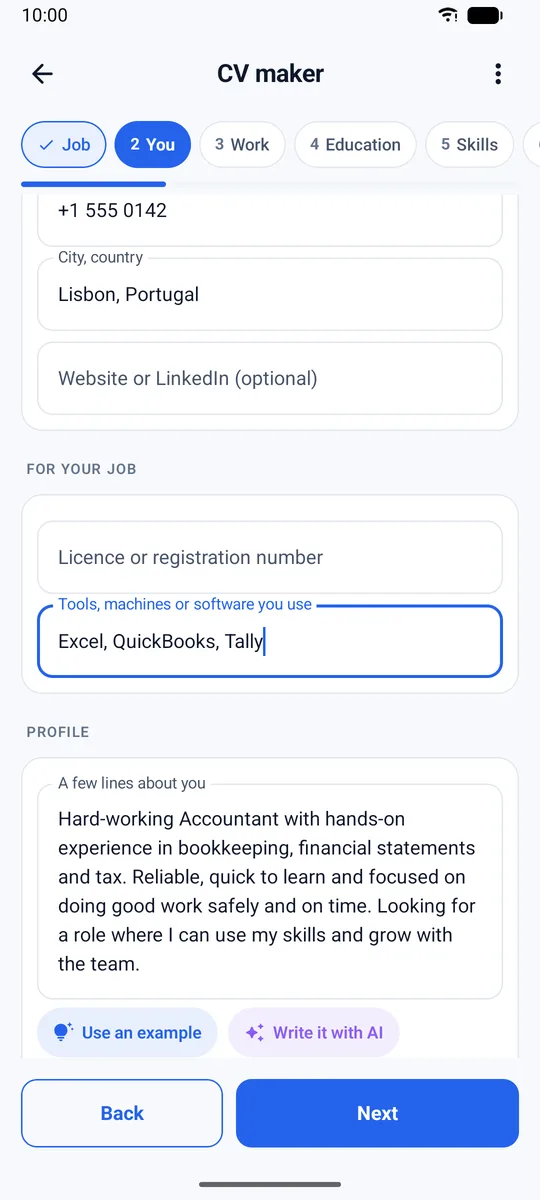
- Your name, e-mail, phone and city. A photo is optional – many countries prefer a CV without one.
- For your job: extra fields that matter for your work, such as software you use or a licence number.
- Profile: tap Use an example for a ready profile you can change, or Write it with AI (AI mode, sign-in needed).
3. Add your work experience
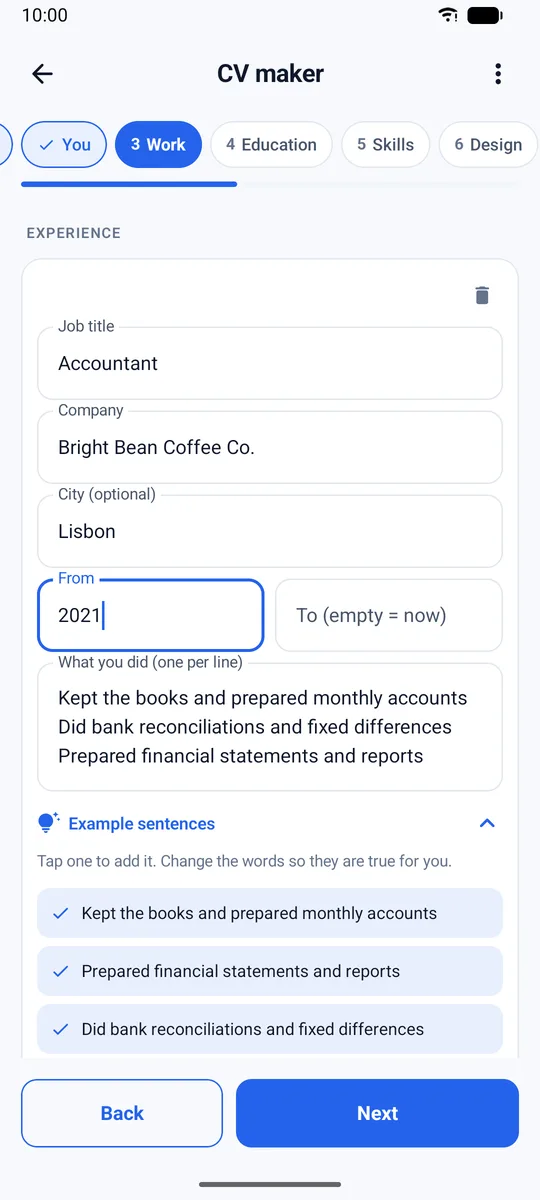
Add the job title, company, city and years. Under Example sentences, tap the lines that fit what you did – they are written for your job. Then change the words so they are true for you.
4. Add your education
Degree or course, school, and years. Tap Add education for more.
5. Tap your skills and languages
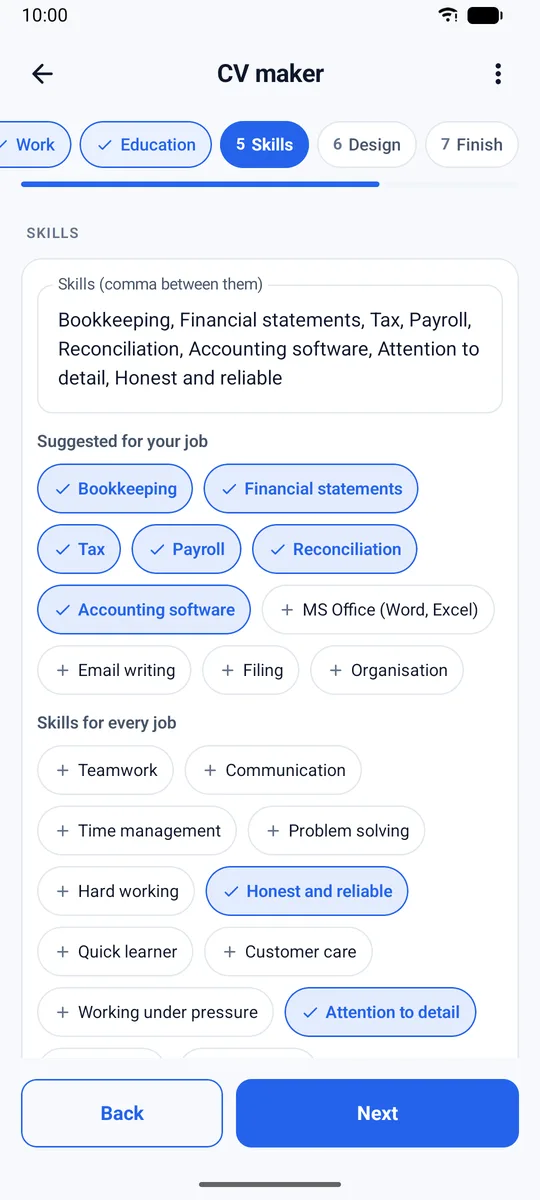
You see skills suggested for your job, skills for every job (teamwork, communication…) and a list of languages. One tap adds each.
6. Choose a design
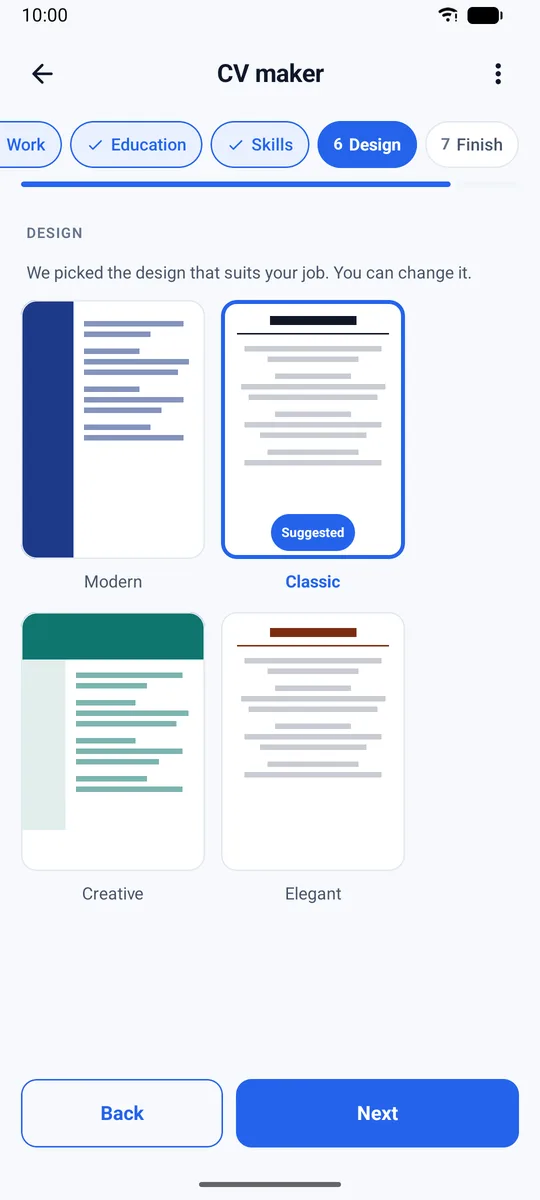
Pick Modern, Classic, Creative or Elegant. The app suggests the one that suits your job, and you can change it any time.
7. Check and make your CV
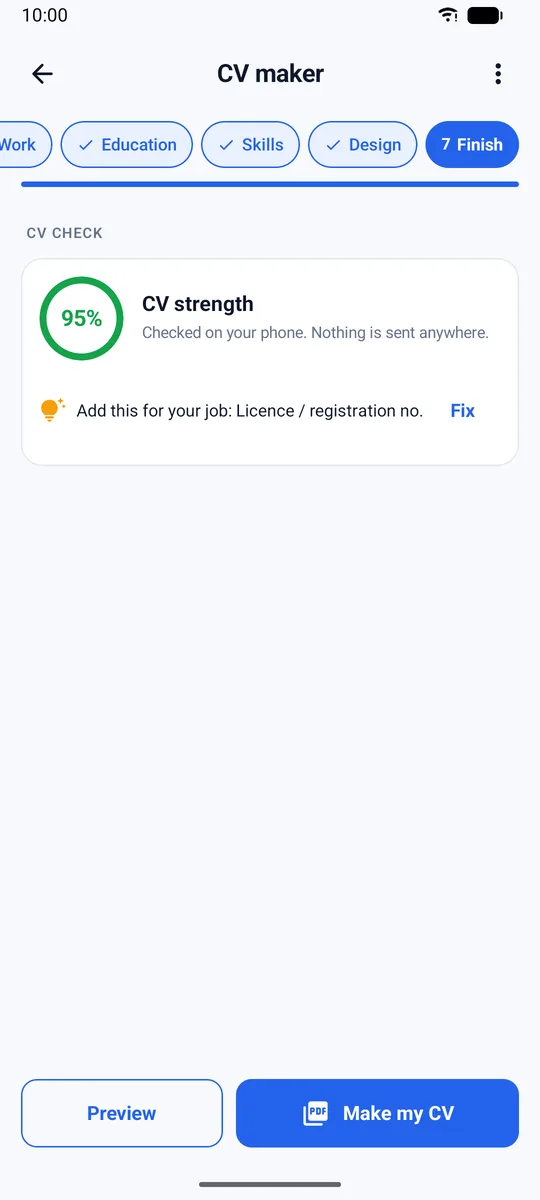
The CV check gives your CV a score and tips (it runs on your phone – nothing is sent). Tap Make my CV: you get a PDF to send and a Word file to keep editing, both in My Files.
Tips for a CV that gets noticed
- Keep it to one or two pages. Put your most recent job first.
- Use numbers. “Served 80 customers a day” says more than “served customers”.
- Only list real skills. Employers check them in the interview.
- Check spelling twice, especially your phone number and e-mail.
- Send a PDF unless the employer asks for Word – it looks the same on every device.
Need a cover letter too?
In the CV maker menu (⋮), Cover letter (AI) writes a short letter for the job from the facts in your CV – it uses AI mode, so you sign in with Google and it counts toward your daily AI pages. Prefer to write it yourself? Use the free Cover letter template under Tools → New Word file. And if the job form asks for a small file, see how to compress a PDF to 100 KB.
FSI Doc Manager is free on Google Play.